How to Place a User in a Specific Position
When making API requests to the layout endpoint, the order of users[] parameters is crucial for correct participant placement. This is particularly important for complex custom layouts that require precise control over user positioning.
To manipulate and set a specific layout, you'll need two key pieces of information:
- The
access_keyfor the video call - The
user.idof participants you want to reposition
You can set these either when initiating a video call via the API or when adding participants to an active call. Alternatively, you can extract these values from a running call using EyesonJS or the observer.
Setting a basic Layout
In the example below, the first participant is positioned in the first spot of a layout named four. Learn more about layouts and the predefined layouts list here.
- curl
- node sdk
- go sdk
- php sdk
export ACCESS_KEY=...
export USER_ID_1=...
curl -X POST \
  -d "layout=auto" \
  -d "name=four" \
  -d "users[]=$USER_ID_1" \
  -d "users[]=" \
  -d "users[]=" \
  -d "users[]=" \
  "https://api.eyeson.team/rooms/$ACCESS_KEY/layout"
const user_id_1 = '...';
const accessKey = '...';
const eyeson = new Eyeson();
const user = await eyeson.getUser(accessKey);
await user.setLayout({
  layout: 'auto',
  name: 'four',
  users: [user_id_1, '', '', ''],
});
user_id_1 := "..."
accessKey := "..."
userService, _ := eyeson.NewUserServiceFromAccessKey(accessKey)
userService.SetLayout(eyeson.Auto, &eyeson.SetLayoutOptions{
  LayoutName: "four",
  Users: []string{user_id_1, "", "", ""},
})
$user_id_1 = '...';
$accessKey = '...';
$eyeson = new Eyeson();
$layout = $eyeson->layout($accessKey);
$layout->apply([
  'layout' => 'auto',
  'name' => 'four',
  'users' => [$user_id_1, '', '', '']
]);
Displaying Grid Background
For clarity, a background image is used, with the numbered video spots integrated into the design. This is optional.
- curl
- node sdk
- go sdk
- php sdk
export ACCESS_KEY=...
curl -X POST \
  -d "url=https://docs.eyeson.com/img/examples/four_numbered.png" \
  -d "z-index=-1" \
  "https://api.eyeson.team/rooms/$ACCESS_KEY/layers"
const accessKey = '...';
const eyeson = new Eyeson();
const user = await eyeson.getUser(accessKey);
await user.setLayer({
  url: 'https://docs.eyeson.com/img/examples/four_numbered.png',
  'z-index': -1,
});
accessKey := "..."
userService, _ := eyeson.NewUserServiceFromAccessKey(accessKey)
userService.SetLayer("https://docs.eyeson.com/img/examples/four_numbered.png",
  eyeson.Background, nil)
$accessKey = '...';
$eyeson = new Eyeson();
$layer = $eyeson->layer($accessKey);
$layer->apply([
  'url' => 'https://docs.eyeson.com/img/examples/four_numbered.png',
  'z-index' => -1
]);
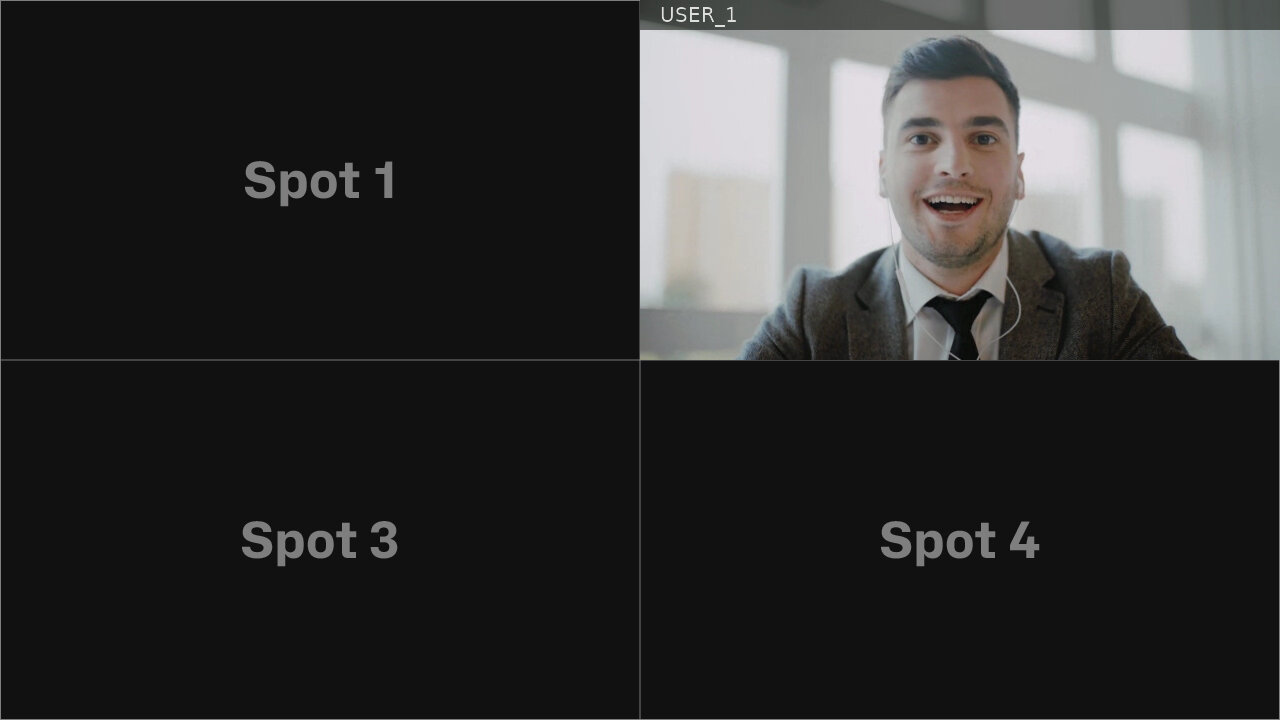
Resulting Video Layout
If both API requests are successfully processed, the resulting video stream may be displayed as follows.
Changing User Positon
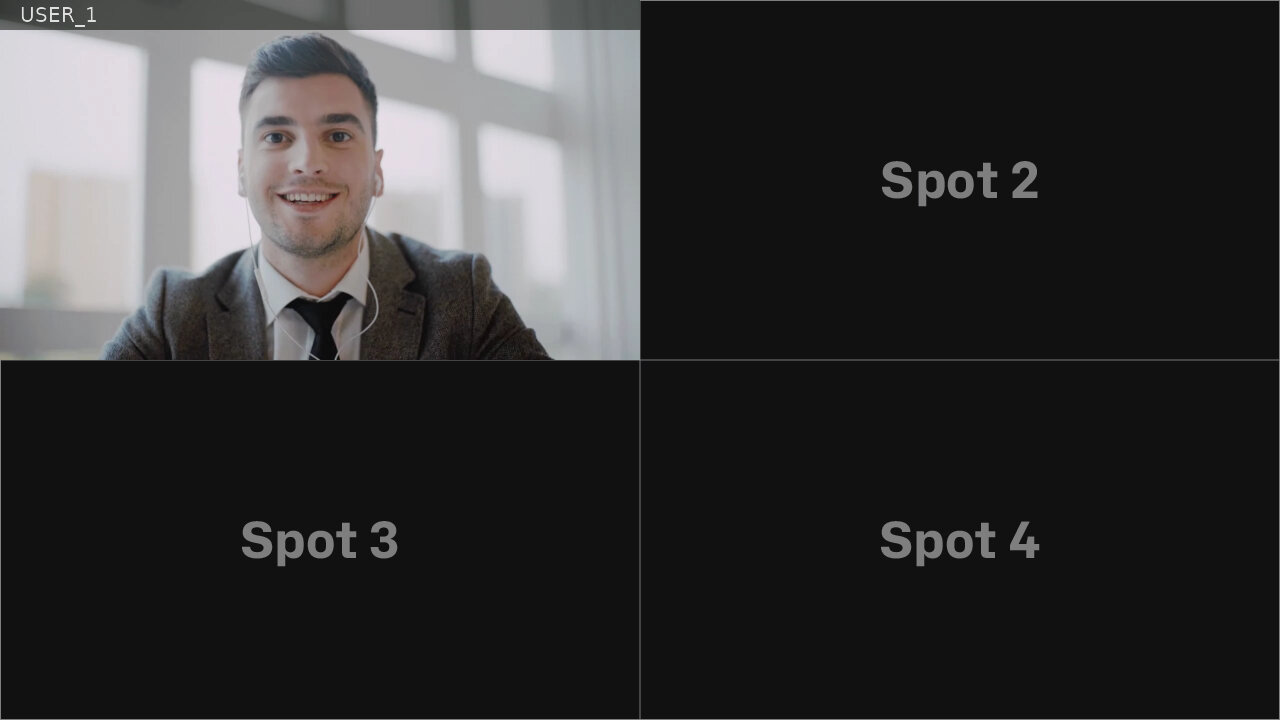
By simply modifying the values within the users[] parameters, you can reposition participants within the layout, ensuring they appear in the desired spots without requiring additional configuration changes.
- curl
- node sdk
- go sdk
- php sdk
export ACCESS_KEY=...
export USER_ID_1=...
curl -X POST \
  -d "layout=auto" \
  -d "name=four" \
  -d "users[]=" \
  -d "users[]=$USER_ID_1" \
  -d "users[]=" \
  -d "users[]=" \
  "https://api.eyeson.team/rooms/$ACCESS_KEY/layout"
const user_id_1 = '...';
const accessKey = '...';
const eyeson = new Eyeson();
const user = await eyeson.getUser(accessKey);
await user.setLayout({
  layout: 'auto',
  name: 'four',
  users: ['', user_id_1, '', ''],
});
  user_id_1 := "..."
  accessKey := "..."
  userService, _ := eyeson.NewUserServiceFromAccessKey(accessKey)
  userService.SetLayout(eyeson.Auto, &eyeson.SetLayoutOptions{
    LayoutName: "four",
    Users: []string{"", user_id_1, "", ""},
  })
$user_id_1 = '...';
$accessKey = '...';
$eyeson = new Eyeson();
$layout = $eyeson->layout($accessKey);
$layout->apply([
  'layout' => 'auto',
  'name' => 'four',
  'users' => ['', $user_id_1, '', '']
]);
After applying the change, the resulting video stream may appear as shown below.